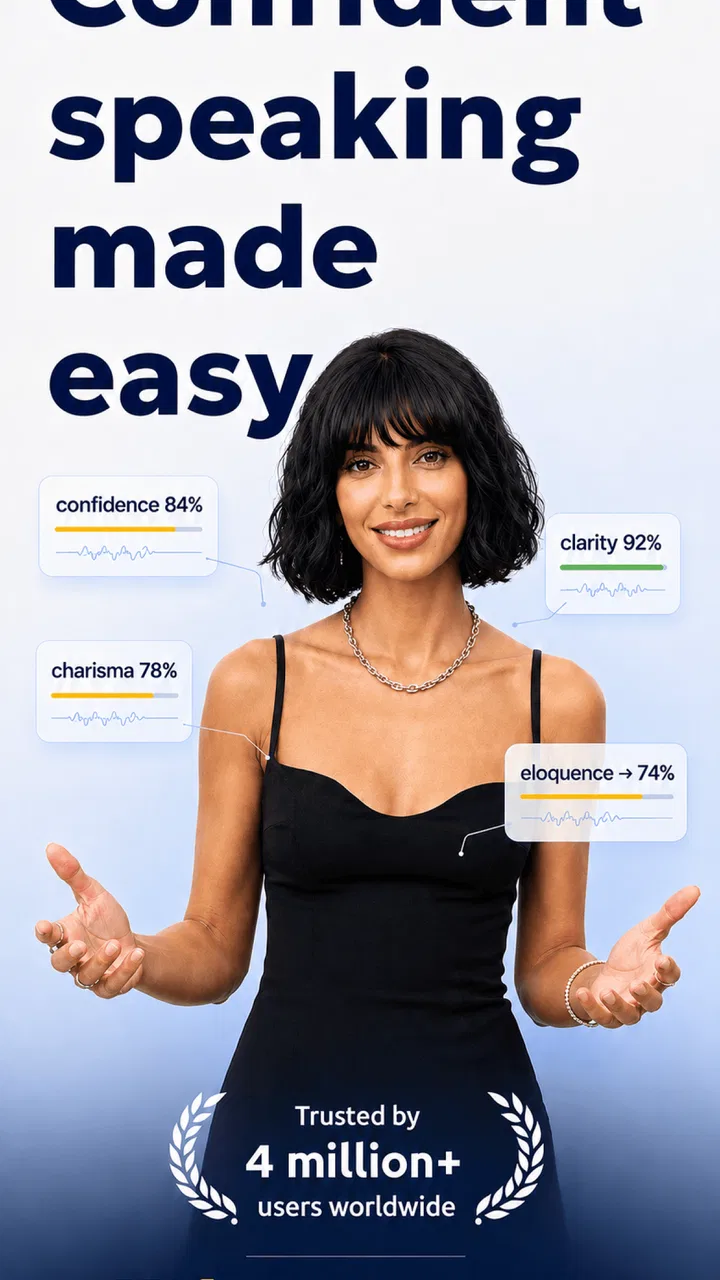
Vocal Image: Speaking Coach
- 4.1
- Rating
- 1.00M
- Installs
- Free
- Price

 Analysis by App-foxy
I approached Vocal Image: Speaking Coach as an education app for people who want to communicate with more confidence, not as a replacement for a live speech teacher. Its focus is practical: speaking, presentation habits, and the softer skills that affect how other people receive what we say. After spending time with it, I found the idea appealing because communication practice is easy to postpone, while a phone-based coach can fit into a spare moment.
The app is developed by Vocal Image and is free to install, with optional in-app purchases ranging from $0.89 to $249.99 per item. That pricing detail matters because the free entry point makes experimentation easy, but anyone considering a longer coaching routine should examine the purchase screens carefully before committing. It is rated for Everyone, and its broad audience is one of its strengths: a student, job seeker, manager, language learner, or nervous presenter can approach the same general goal from a different starting point.
How the experience feels to use
I find the experience most useful when I treat it as a low-pressure place to rehearse, rather than a test of whether I speak “correctly.” That distinction helps me choose an exercise with a clear purpose and take feedback as something to try, not a verdict. From there, the practical question is how to carry a small change in delivery into the conversations that matter.
You May Also Like

 Blood Strike: 2.5 Anniversary
Blood Strike’s Loadouts Turn Every Drop Into a Tactical Gamble
A close look at Blood Strike’s custom loadouts: how fast access to signature weapons reshapes its battle royale rhythm, rewards preparation, and narrows the gap between fights.

 Pandora - Music & Podcasts
Pandora’s Music Is Easy to Start, but Harder to Recover
Pandora’s strength is its low-effort path from a seed to a station. Its weak spot is how much confidence it asks you to place in connection, setup, and quiet recovery.

 8 Ball Pool
 Is Built on Rivalries, Rematches, and Routine
A close look at the rivalries, rematches, shared routines, and unanswered safety questions that turn a quick pool match into a persistent mobile community.

 Samsung Music
’s Quiet Strength Is Playing What You Already Own
Its reach comes less from spectacle than from dependable access to a personal library. That simplicity is both the app’s strongest retention engine and its ceiling.

 AccuWeather: Weather Radar
AccuWeather Review: A Quick, Clear Forecast for Everyday Decisions
For everyday plans, the best forecast is the one you can understand quickly. AccuWeather makes rain timing, radar, and local conditions easy to act on, with a few trade-offs.

 Hill Climb Racing
Why Hill Climb Racing Still Turns Crashes Into One More Run
A tiny car, a bumpy hill and one more upgrade: Hill Climb Racing keeps resurfacing because its simple chaos makes every near-miss feel personal.
More From Our News Desk



Readable navigation and a gentle starting point
The most important design choice is that the app presents communication improvement as a series of manageable exercises rather than one intimidating public-speaking lesson. I found that framing useful. If I had only ten minutes, I could focus on one small task instead of telling myself I needed to prepare an entire speech. That makes the app easier to approach on a busy day and less emotionally demanding than joining a class immediately.
The interface is built around coaching-style progress, so the natural workflow is to open a lesson, follow its direction, complete a speaking activity, and reflect on the result. This structure is more approachable than a library of disconnected articles. Someone who is unsure where to begin can use the guided path, while a more experienced speaker can treat individual exercises as targeted practice.
I especially liked the distinction between practicing a skill and using it in a real situation. A person may understand that pauses help, for example, but still rush through an interview answer. A useful routine is to complete an exercise, then immediately record a short answer to a real question from work or school. That turns an abstract lesson into something transferable.
There is also a psychological benefit to private practice. Many people avoid speaking exercises because they dislike being watched while they are still learning. A phone-based coach lowers that social pressure. It does not remove nervousness completely, but it gives users room to repeat an attempt without an audience reacting in real time.
Where the coaching is most useful
I see the strongest value in preparation for specific moments: a job interview, a presentation, a difficult conversation, or an introduction at a professional event. Before an interview, I would write down three questions I expect to hear, practice answering them with the app’s communication guidance in mind, and then repeat the answers in a more natural voice. This is more effective than endlessly rereading generic advice because it connects practice to language I may actually use.
For presentations, the app is best used before the final rehearsal rather than instead of it. I would use a short session to work on clarity and confidence, then rehearse the complete presentation with slides and timing. A coach can help shape delivery, but it cannot recreate every distraction, room layout, audience reaction, or technical problem that may occur on the day.
Students can also benefit when they need to speak in a second language or participate more actively in class. The app may encourage deliberate practice, but it should not be mistaken for a full language course. It can support delivery and confidence; it is not the right sole tool for grammar, vocabulary, reading comprehension, or structured pronunciation study.
Motor and sensory considerations
Because the core activity involves speaking, the app can be more comfortable for users who find extended typing tiring. A person can practice aloud instead of composing long written answers, which changes the physical demand of the task. At the same time, speaking itself may be difficult or fatiguing for people with voice conditions, limited breath support, speech differences, or fluctuating energy. In those cases, short sessions and rest breaks are more sensible than trying to complete a full routine in one sitting.
I would also avoid treating a coaching score or response as a judgment of a person’s intelligence, identity, or communication worth. Voice patterns vary for many legitimate reasons, including accent, disability, age, culture, and temporary illness. The most useful way to interpret feedback is as a prompt for experimentation: “Would a slower pace help here?” is a better question than “Is the way I speak wrong?”
Users who are sensitive to sound should choose their practice setting carefully. A quiet room makes it easier to concentrate and reduces the temptation to raise the voice. Someone with hearing-related needs may prefer to pair the app with written notes, captions elsewhere, or a transcript they prepare themselves, rather than relying on audio guidance alone. The app can be part of an accessible routine, but it should not be assumed to meet every sensory preference automatically.
For users with limited hand movement, the amount of tapping required between activities becomes relevant. A good personal workflow is to prepare water, notes, and a quiet place before starting, so the session does not require repeated interruptions. If navigating small controls or moving through several screens is tiring, the app may be easier in brief bursts than as a long lesson.
Using it in different situations
Situational access is where I found the biggest practical difference. A person with a private office can speak freely, while someone living with roommates, caring for children, or commuting may have almost no quiet space. In that case, the app is not equally convenient at every time of day. Silent reading or planning can happen anywhere, but speaking practice usually needs privacy and enough volume to be meaningful.
I would schedule sessions around the real event rather than practicing randomly. For an interview in the morning, a short, calm session the previous evening may be more useful than an intense workout immediately beforehand. For a weekly presentation, two or three brief practices can be easier to sustain than one long session. This approach also helps users notice whether the app is improving real behavior instead of merely creating a sense of completion.
People with different communication goals should adapt the same exercise differently. A shy beginner may focus on getting through an answer without apologizing or stopping. A manager may work on making instructions less vague. A customer-service worker may practice sounding warm while staying concise. Someone who speaks with an accent may want to improve intelligibility for a particular audience, not erase their accent. The app is more inclusive when it supports that distinction.
It is also worth remembering that confident communication is not identical to loudness, constant eye contact, rapid responses, or a particular speaking style. In a remote meeting, for instance, concise wording and deliberate pauses may matter more than energetic delivery. In a conversation involving disability or neurodivergence, directness and extra processing time may be more respectful than performing a socially expected style. I would use the app as a toolkit, not as a rulebook for how every person should sound.
What still creates friction
The free starting point is helpful, but the presence of paid items can complicate the decision to build a routine. I recommend checking which parts of a planned practice path are available without payment and what a purchase unlocks before investing time. The wide range from $0.89 to $249.99 per item means the financial commitment can vary substantially, so a casual user and a serious long-term learner should not assume they are choosing the same kind of experience.
Another limitation is that an automated coach cannot fully understand context. It may encourage a delivery change that works in one situation but feels unnatural in another. A persuasive sales pitch, a condolence message, a classroom answer, and an accessibility accommodation all require different judgments. If feedback conflicts with how trusted listeners understand you, I would prioritize the real communication goal rather than chasing an idealized score.
The app also cannot replace feedback from a person who knows the situation. A colleague can tell me that my explanation is unclear because the order of ideas is confusing, something a voice-focused exercise may not reveal. A teacher can distinguish language-learning needs from presentation anxiety. A speech-language professional is better suited to clinical concerns. Vocal Image: Speaking Coach works best alongside those forms of support when they are needed.
Privacy and comfort should shape where I use any speaking app. I would avoid practicing sensitive workplace material, personal medical information, or confidential client details. Even when the exercise is general, users should choose examples that are safe to say aloud and should not assume that private professional content belongs in a coaching session.
There is also a risk of over-practicing. Communication improvement can become another source of self-monitoring, especially for people already worried about every pause or vocal variation. I found the healthiest approach is to choose one behavior per session, such as slowing down the opening sentence, and then stop. Trying to correct pace, tone, vocabulary, gestures, confidence, and structure all at once makes the process exhausting and less natural.
Who should try it, and who should choose something else
I would recommend the app to a beginner who wants a private, structured way to practice speaking. It is also a sensible companion for someone preparing for a recurring situation and needing reminders to rehearse instead of relying on last-minute confidence. The education category fits because the value comes from repeated learning and application, not from passively consuming motivational content.
It may suit users who prefer small phone-based activities over a scheduled course. The app has reached more than a million installs and carries a 4.1 average from around sixteen thousand ratings, which suggests that it has found a substantial audience while still leaving room for mixed experiences. I would read that as a reason to try the free portion personally, not as a guarantee that every exercise will fit every voice or goal.
I would look elsewhere if I needed formal speech therapy, detailed language instruction, live group practice, or expert feedback on a high-stakes presentation. A local teacher, professional coach, language platform, or speech-language specialist may be better depending on the problem. Likewise, someone who dislikes speaking to a phone may gain more from written exercises, a supportive friend, or a low-pressure conversation group.
The app requires Android 8.0 or later, and the current version is 8.57.0. That makes device compatibility an early practical check for Android users. Since the app is free to install and rated Everyone, it is easy for a wide range of people to test, but age suitability does not automatically mean that every coaching goal or feedback style will suit every user.
My inclusive verdict
My overall impression is positive, with an important qualification: the best results come from using the app to support a real communication goal, not from treating its coaching as an absolute measure of a good voice. Its guided approach can make practice less intimidating, and its focus on confidence and soft skills gives users a reason to return beyond a single presentation.
I would begin with a free session, choose one situation that genuinely matters, and keep a small note of what changed in real conversations. After a week or two, I would decide whether the routine is helping enough to justify any optional purchase. That test is more revealing than chasing a perfect result inside the app.
For me, Vocal Image: Speaking Coach is most convincing as a private rehearsal partner: convenient, approachable, and useful when I need a nudge to speak deliberately. It is less convincing as a universal answer for accessibility, clinical voice needs, or complex communication problems. If you use it with that boundary in mind, adapt the exercises to your identity and circumstances, and keep real listeners in the loop, it can become a practical part of a broader confidence-building routine.
FAQs for Vocal Image: Speaking Coach
01What is Vocal Image: Speaking Coach, and who is it designed for?
Vocal Image: Speaking Coach is a voice-training and communication app designed to help users improve speaking confidence, pronunciation, vocal tone, articulation, and overall delivery. It can be useful for people preparing for presentations, interviews, meetings, social conversations, or public speaking. The exercises are generally suitable for beginners, although users with specific speech or medical concerns should not treat the app as a replacement for a qualified speech therapist.
02How does Vocal Image: Speaking Coach help improve your voice?
The app typically combines guided vocal exercises, speaking challenges, pronunciation practice, and feedback-oriented activities to help users become more aware of how they sound. Regular sessions may focus on clarity, pace, pitch, breathing, resonance, and confidence. Progress depends heavily on consistent practice and honest participation, so users should expect gradual improvement rather than an instant transformation after completing only a few exercises.
03Is Vocal Image: Speaking Coach free to download and use?
Vocal Image: Speaking Coach may be available to download at no initial cost, but some lessons, personalized programs, progress features, or advanced coaching tools can require a subscription or in-app purchase. Before starting a trial, carefully review the pricing, renewal schedule, and cancellation terms shown in the App Store or Google Play. A free download does not necessarily mean that every feature is free.
04Does the app use microphone recordings or artificial intelligence to analyze my voice?
Voice-training apps such as Vocal Image: Speaking Coach may ask for microphone access so they can record exercises, evaluate speech characteristics, or provide automated feedback. Users should read the app’s privacy policy and permission requests before submitting recordings, particularly if they are concerned about voice data. It is also worth checking whether recordings are stored, processed remotely, or deleted after analysis.
05Can Vocal Image: Speaking Coach replace a professional speech or voice coach?
Vocal Image: Speaking Coach can be a convenient supplement for daily practice, self-assessment, and building confidence, but it should not be considered a complete substitute for a qualified speech-language pathologist, vocal coach, or medical professional. Persistent hoarseness, pain, difficulty speaking, or significant pronunciation problems require professional evaluation. The app is best viewed as a structured training tool rather than a diagnostic or therapeutic service.
Pros
- Short daily exercises make practice easy to fit into a busy routine.
- Speech analysis provides immediate feedback after many activities.
- Useful for improving confidence in presentations
- interviews
- and conversations.
- Progress tracking helps users monitor consistency over time.
- Lessons cover several areas
- including pronunciation
- fluency
- and voice tone.
Cons
- Some advanced lessons and feedback features require a paid subscription.
- Automated evaluations may not fully understand accents or speaking context.
- Results can vary depending on microphone quality and background noise.
- The motivational approach may feel repetitive for experienced speakers.
- A stable internet connection may be needed for analysis and lesson access.

Vocal Image: Speaking Coach
Gallery